Reference: document statuses
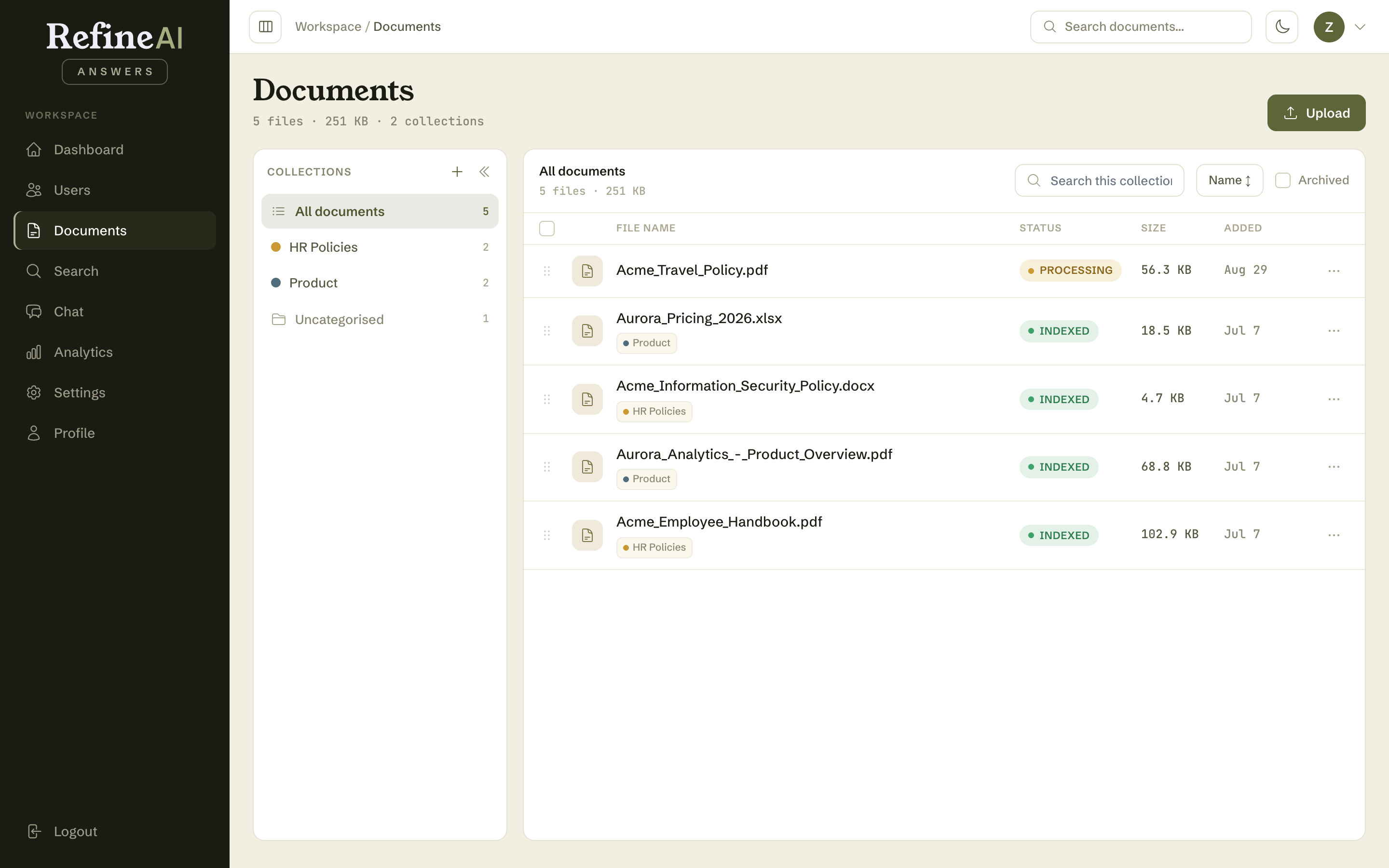
Every document carries a status badge through its life. You'll see these in the library, on details pages, and on the dashboard.
| Status | Colour | Meaning | What to do |
|---|---|---|---|
| PRESIGNED | amber | Upload slot issued; the file is on its way to storage. | Nothing — transient. |
| QUEUED | amber | Stored and waiting for processing. | Nothing — transient. |
| PROCESSING | amber | Text is being extracted and chunked. | Nothing — usually under a minute. |
| PROCESSED | amber | Chunks created; embeddings being generated. | Nothing — nearly there. |
| INDEXED | green | Fully searchable and available to Chat. | ✅ Done. |
| PARTIALLY_INDEXED | amber | Some chunks failed to embed; the document answers incompletely. | Reprocess from the details page. |
| FAILED | red | Processing hit an error. | Check the timeline on the details page, then Reprocess. If it persists, check the file opens correctly and is a supported format. |
| ARCHIVED | muted | Manually shelved; hidden from the default library view. | Restore from the details page if needed again. |
Normal flow: PRESIGNED → QUEUED → PROCESSING → PROCESSED → INDEXED