Organisation and plan
Who can do this: Admins and Owners. Settings opens on this tab.
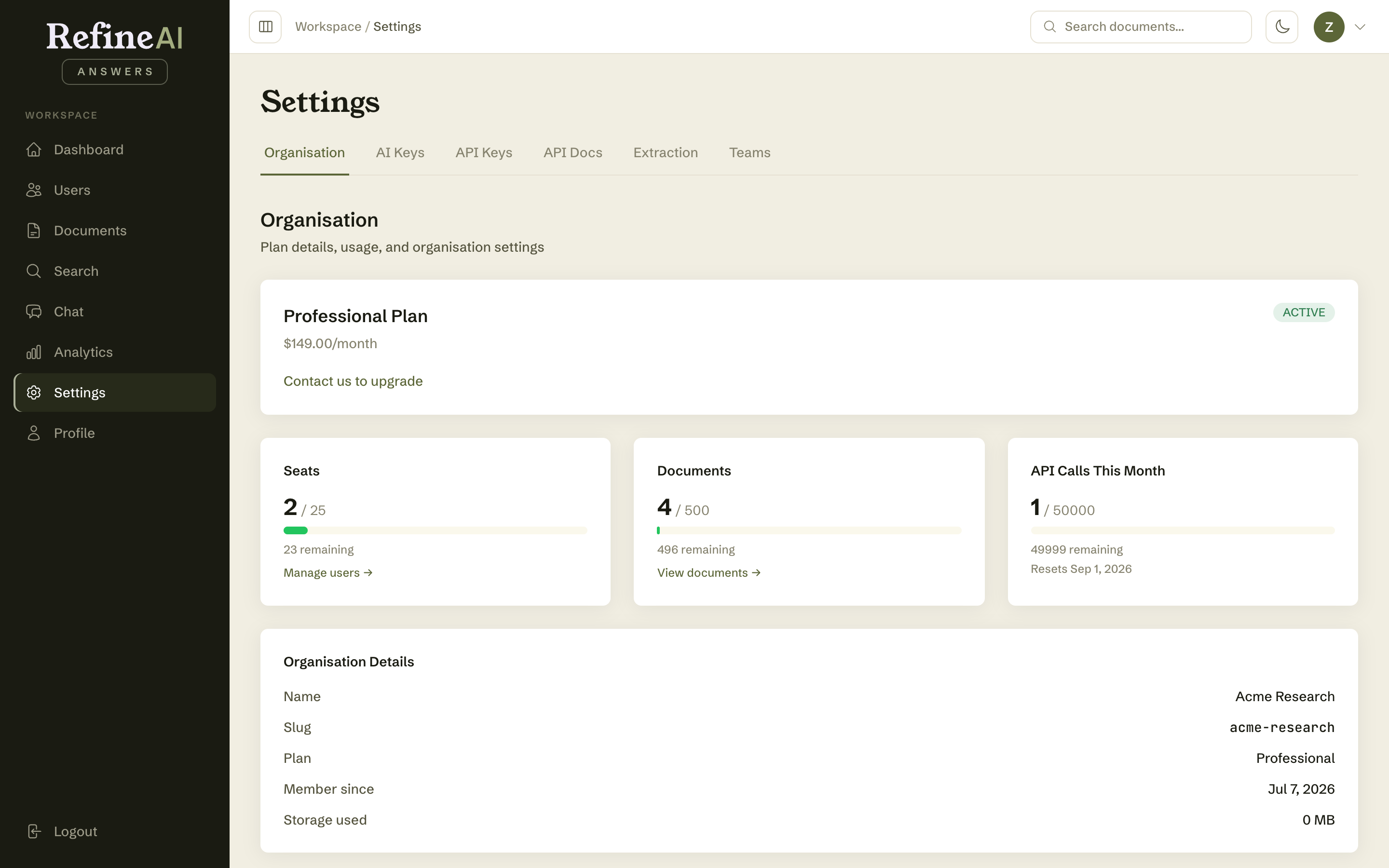
Settings → Organisation shows your plan and how much of it you're using.
Plan
Your current plan (e.g. Professional), its monthly price, and your organisation's status badge (Active, or Trial while evaluating). To change plans, use the upgrade action or contact your account manager.
Usage meters
Progress bars show consumption against your plan's limits:
| Meter | What counts |
|---|---|
| Seats | Users in your organisation vs. the seats included. |
| Documents | Documents in the library vs. your quota (also shown on the upload page). |
| API calls | Calls made this month vs. your monthly allowance — includes questions asked programmatically via API keys. |
| Storage | Total size of uploaded files. |
Each meter shows the amount used, the percentage, and what remains.
Approaching a limit? Deleting documents frees document quota and storage; archiving users frees seats. If usage is structural, upgrading the plan is the honest fix — meters that live at 100% eventually block someone mid-task.
Next: AI keys →