Extraction settings
Who can do this: Admins and Owners.
Settings → Extraction tunes how documents are read when they're processed — which strategy applies, what topics to pay special attention to, and any standing instructions for extraction.
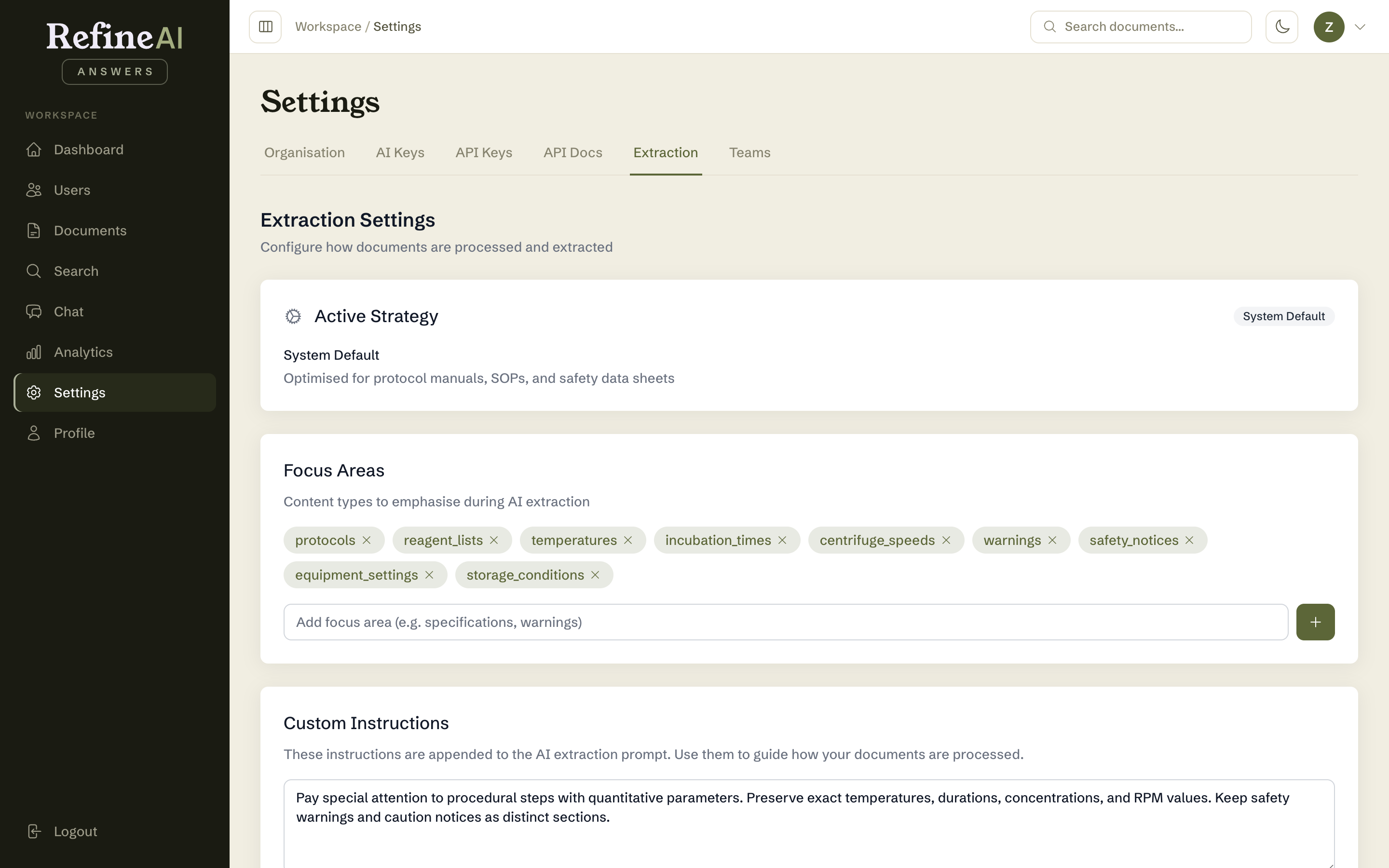
Extraction strategies
A strategy is a recipe for turning a file into searchable knowledge: a parser for the format, an extractor, and a chunking method. Strategies exist per document type (e.g. Technical PDF Extractor, Technical DOCX Extractor, Technical XLSX Extractor), and the upload page picks the right one automatically when only one applies — or asks the uploader to choose when several do.
Focus areas
A list of topics extraction should treat as important for your organisation — the terms and themes your team asks about most. Add or remove entries to steer chunking and summarisation toward what matters.
Custom instructions
Free-text guidance applied during extraction — for instance, "preserve clause numbering" for legal documents, or "keep table rows intact" for pricing sheets.
Applying changes
- Save to apply. Changes affect documents processed from now on; existing documents keep their current chunks until you reprocess them (from a document's details page or Document Performance).
- Reset to system defaults discards your customisations (with confirmation).
When to touch this: if a whole class of documents extracts poorly — chunks cutting through tables, summaries missing the point — adjust here once rather than fixing documents one by one. Test by reprocessing one representative document and reviewing its chunks before reprocessing in bulk.