API keys
Who can do this: Admins and Owners.
Settings → API Keys manages the credentials other systems use to talk to RefineAI Answers programmatically — an intranet portal asking questions on employees' behalf, a pipeline ingesting documents automatically, and so on. (For what you can build, see API documentation.)
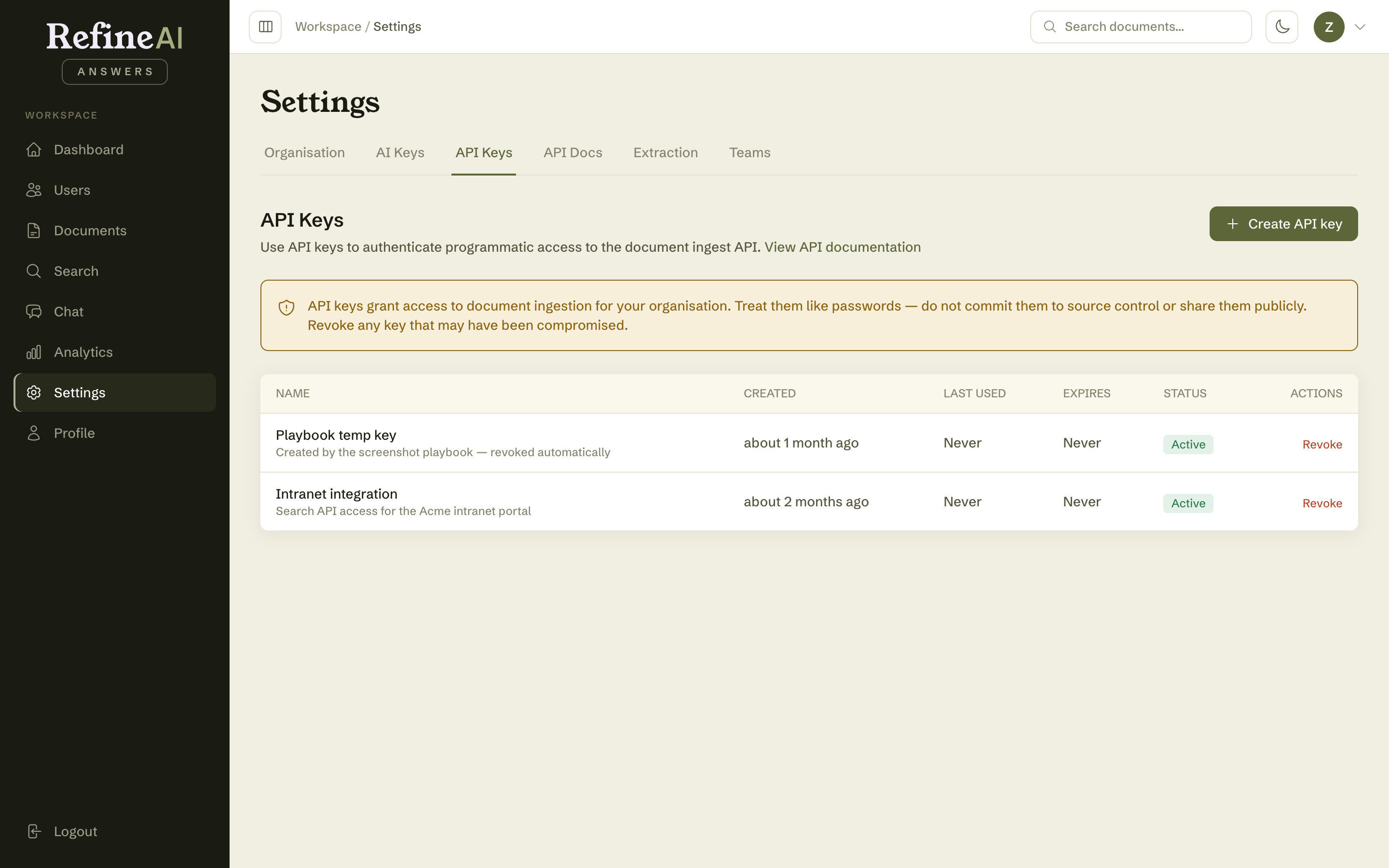
Creating a key
- Select Create API key.
- Give it a name that identifies the consumer (e.g. Intranet integration), an optional description, and an expiry (never / 30 days / 90 days / 1 year).
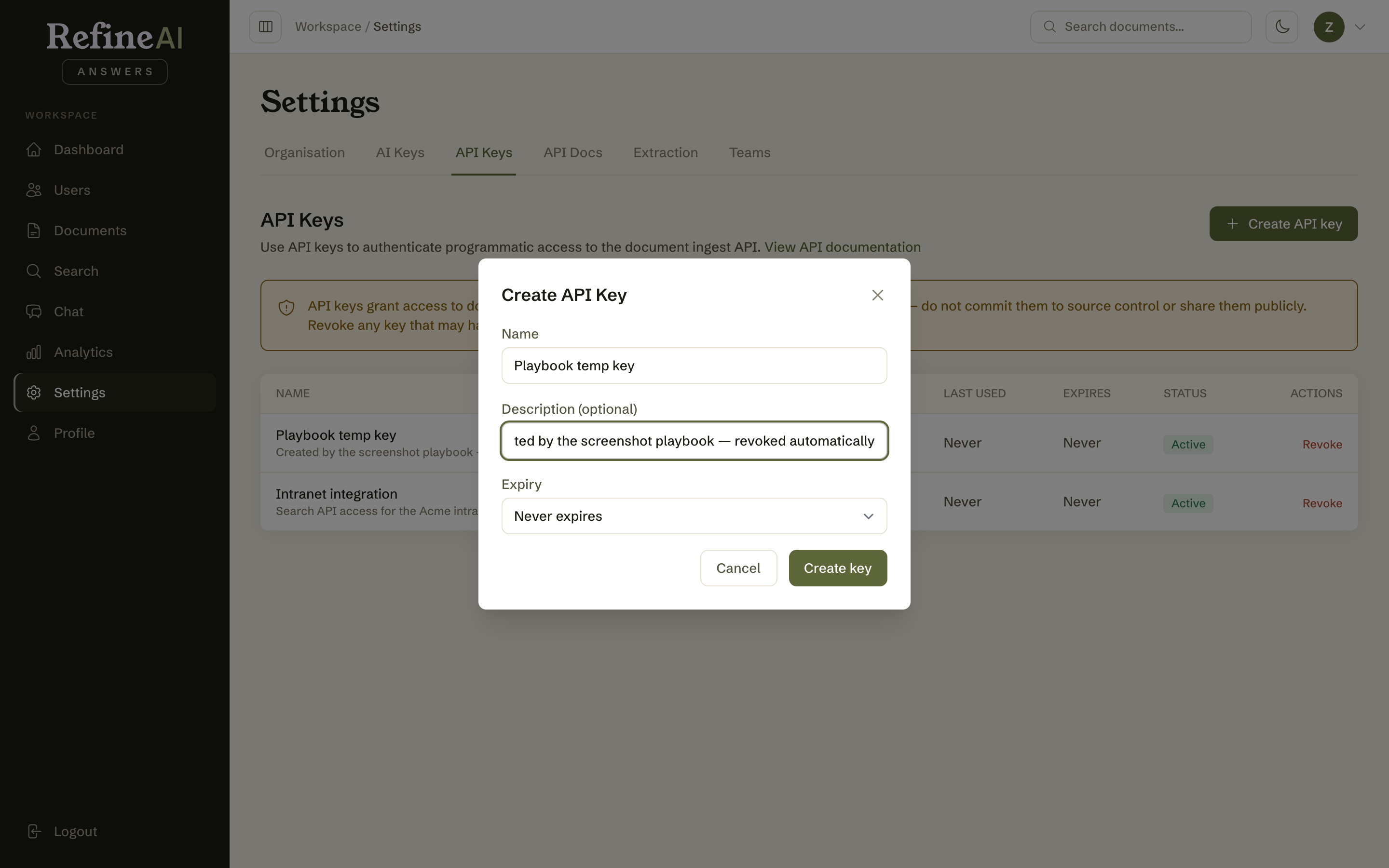
- Select Create. The key is displayed once:
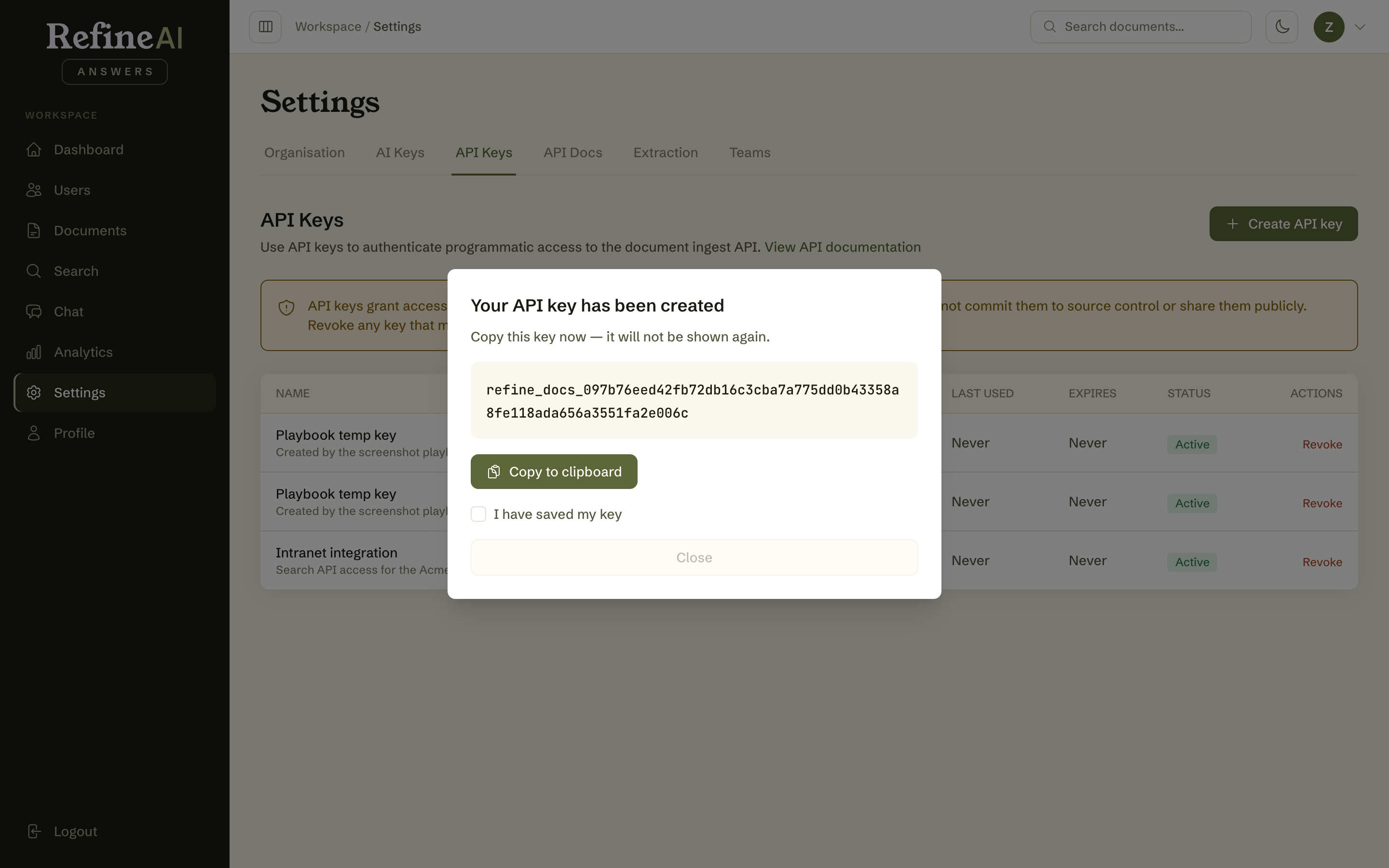
- Copy it now and store it in your team's secret manager. You must tick "I have saved my key" before the dialog will close — because the full key is never shown again. If it's lost, you revoke it and create a new one; there is no recovery.
Managing keys
The list shows each key's name, creation date, last-used date, expiry, and status (Active / Expired). Revoke disables a key immediately — any system using it loses access on its next call.
Good hygiene
- One key per integration, named after the consumer — so revoking one system never breaks another.
- Prefer expiring keys for anything short-lived.
- Never commit keys to source control or paste them into shared chat.
- Key creation and revocation are recorded in the audit log.
Next: API documentation →